

The signs a system has outgrown itself
Each of these gets more expensive the longer it stays in place.
- Only one person understands part of the system, and that knowledge leaves when they do.
- Every change risks an outage because there is no test environment and no automated checks.
- Data is re-entered by hand between tools that should share it, so reconciliation is a monthly ritual.
- Permissions are all-or-nothing: anyone who needs one screen gets the whole admin area.
- The stack is unsupported — an unpatched framework, dependencies with open advisories, hosting that cannot be upgraded.
- Reports that once took a minute now take a coffee break, because the schema no longer fits the data.
None of this demands an emergency rewrite. It demands an order of operations.
Who this is for
Teams that still run the old system daily and cannot afford a long freeze.
- Companies running internal platforms — HR, finance, operations, booking — built years ago and maintained by whoever has time.
- Teams that inherited a legacy codebase through acquisition, with no reliable documentation.
- Businesses whose plugin-based site has become a security liability but still ranks well.
- Founders hiring or facing an audit who need the system documented before someone new touches it.
If the system is already offline or the data has been lost, that is a recovery job, not a modernization one. Tell us either way.
What you get
The audit is a deliverable in its own right, written so a different team could execute it.
- A module inventory: every screen, workflow, integration and scheduled job, with who uses it and how often.
- A risk list ranked by blast radius — what breaks the business versus what merely annoys people.
- A migration sequence: which modules move first, which can wait, and what each depends on.
- A data migration plan with transformation scripts tested against a sanitised copy of production data.
- A cutover and rollback plan per module, including a redirect map for URLs that change.
- The rebuilt system: typed code, versioned migrations, automated checks on critical paths, staging that matches production.
- A runbook and recorded handover, so the system can be operated by someone who did not build it.
Where we migrate to
A stack that will still be maintainable in five years — usually fewer moving parts than the system it replaces.
Next.js + React
Server-rendered screens, shared components, no page reload per submit.
Laravel
Business rules, permissions and queues in a framework with a long support window.
Python
Data migration scripts and reporting that read old formats.
PostgreSQL
Constraints and transactions where old code enforced correctness.
TypeScript + Zod
One schema validating input before it reaches the database.
Docker + CI/CD
Reproducible production; a rollback is a redeploy, not a restore.
Discovery, Design, Development, Launch
Four stages, with the audit folded into discovery because it doubles as the scope document.
Discovery
We read the code, walk every workflow with the people who use it, and document what the system does versus what it should do. Output: inventory, risk list, migration sequence, fixed IDR quote.
Design
Screens are designed per module, starting with the highest-error workflow. Existing habits stay where they are efficient and change only where they cause the errors the audit found.
Development
Modules are rebuilt behind the old interface and switched over one at a time. Migration scripts run against a copy first, with counts and totals reconciled before production changes.
Launch
Each cutover has a rollback window and a named owner on your side. After the final module moves, the old system stays read-only, then is archived with a documented export.
Modernization work
Three projects where an existing way of working was replaced with a system that carried the same process forward.
 Web ApplicationUI/UX
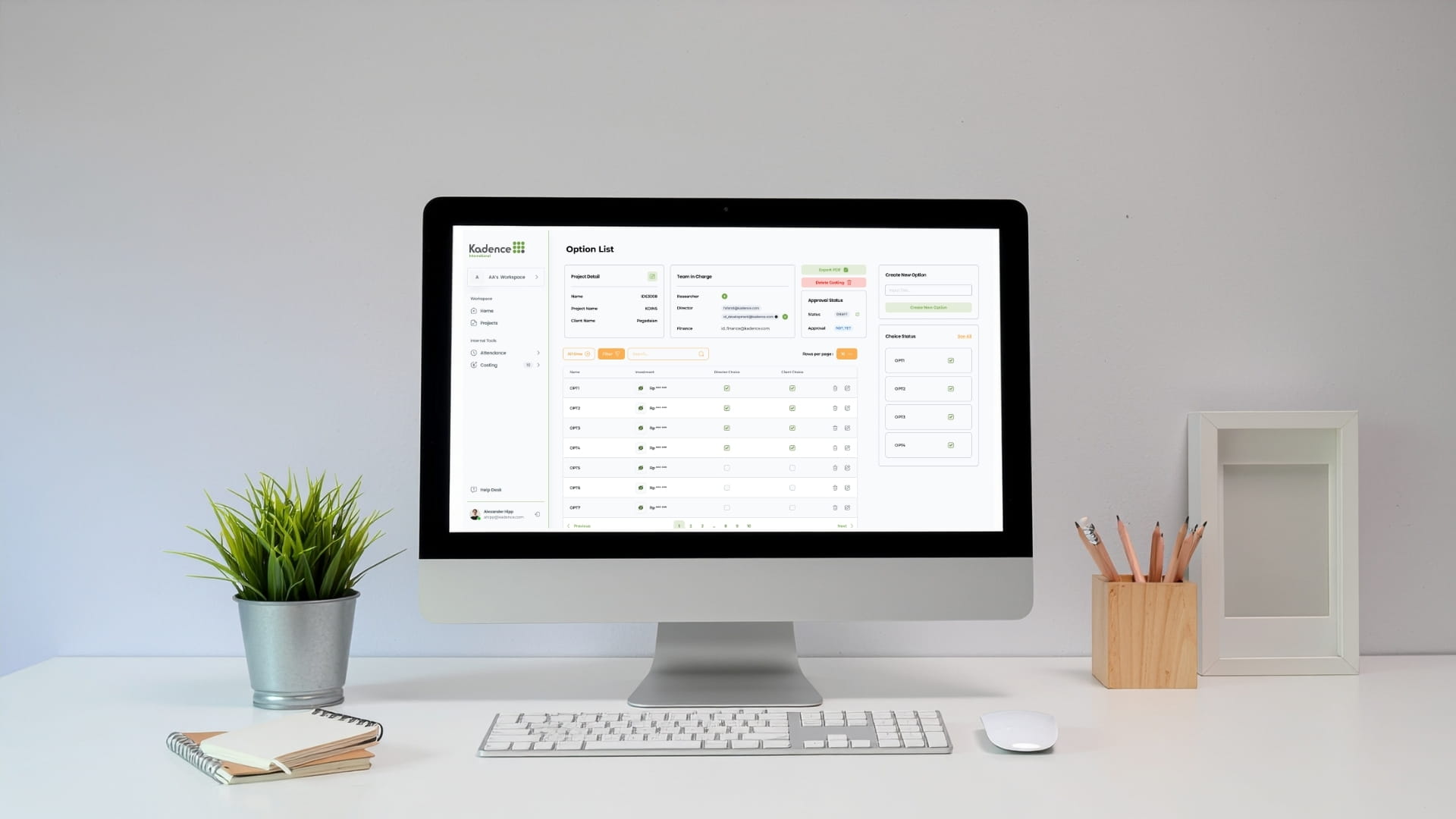
Kadence Internal System
The redesign of Kadence International’s internal websites, transforming fragmented tools for budget management, attendance tracking, and workspace booking into a unified, intuitive platform serving over 500 employees across global teams.
Read the case study Web ApplicationUI/UX
Pidzybox
Pidzybox make it easy to print your moments
Read the case study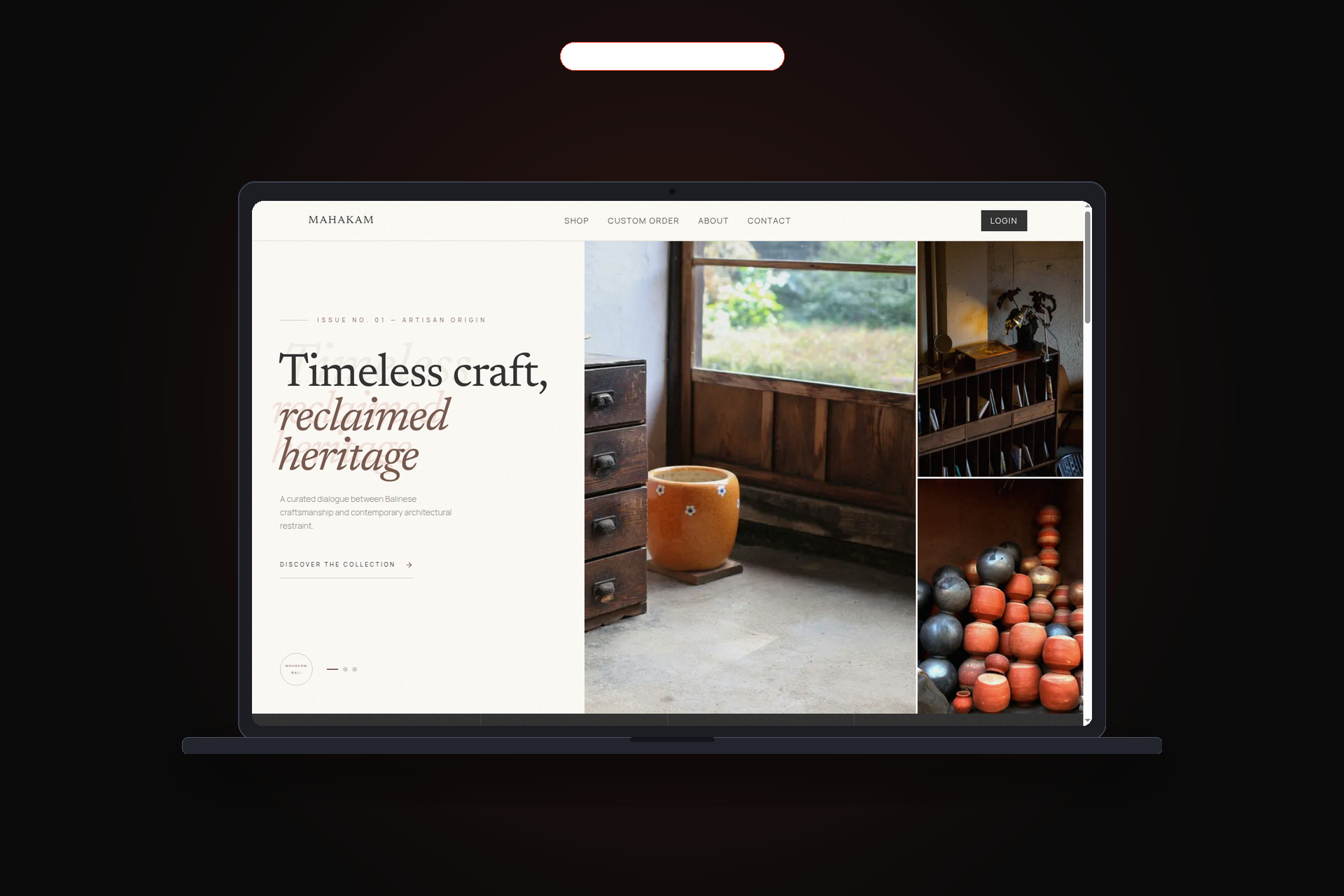 Web ApplicationUI/UX
Mahakam Furniture
Handcrafted solid wood & bespoke furniture catalog directly from artisan workshops in Bali.
Read the case study
Screens and full technical write-ups are on the projects page.
Pricing
Rebuilds start from our published IDR prices, adjusted for the number of modules and the state of the existing data.
Advanced Custom
Starting from IDR 25 Million
Enterprise
Starting from IDR 60 Million
Rebuild starting points. Prices in IDR. USD quotes confirmed per project. The audit fee is quoted separately and credited against the rebuild if you proceed.
Maintenance Standard
Monthly retainer
IDR 1 Million / month
Maintenance Premium
Monthly retainer
IDR 2.5 Million / month
Post-migration support. Optional retainers for dependency updates, monitoring, backup verification and small changes. Hosting and third-party services stay on your accounts.
We do not quote a rebuild without the audit. A modernization estimate written after a five-minute look at the front end is a number, not a plan, and it is usually wrong by a factor of two.
Frequently asked questions
We've heard it all. Here's everything you need to know before working with us.
Ask a questionDo we have to throw away the old system?
Usually not. We keep what works and replace it module by module so the business keeps running. A full replacement only makes sense when the existing code is unsalvageable, and that conclusion should come from the audit.
How do you avoid breaking things?
Three controls: an inventory of every live URL and workflow before work starts, staging loaded with a sanitised copy of real data, and a cutover plan with a rollback window. Error rates are watched after each module, not only at the end.
What happens to our existing data?
It moves with the system. Migration scripts transform the old schema, run against a copy first, and record counts and key totals are reconciled before production is touched. Nothing is deleted until you confirm the new system is correct.
Can you modernise a system we built in-house?
Yes, and it is common. We need repository access and someone who can explain the rules that never made it into a document. Writing those rules down is often the most valuable output of the engagement.
How is this priced?
The audit is a fixed IDR fee covering inventory, risk list and migration sequence. The rebuild is then quoted as a fixed scope in IDR based on modules moved and data transformed. You can stop after the audit — it stands on its own.
Which parts get replaced first?
Authentication and permissions, because everything depends on them, then the highest-error workflow. Low-risk, rarely-touched pages stay on the old stack for a while; migrating them early adds risk without value.